

CorelDRAW Graphics Suite 27.0.0.121
CorelDRAW Graphics Suite 2026 is a professional design suite bundling vector illustration, photo editing (PHOTO-PAINT), font management, and browser-based design via CorelDRAW.app. The 2026 update adds AI Generate, Remix Image, one-click background removal, and AI masking, plus 2,000 monthly AI credits for subscribers. Performance is 3x faster on launch, with nearly half of all crashes since 2023 fixed. Pricing is $22.42/month annually, $39/month, or $549 one-time perpetual. Runs on Windows 10/11 64-bit with 8 GB RAM (16 GB recommended). 15-day free trial available. Still a solid Adobe Illustrator alternative, especially for print and sign professionals.
- Free trial
- Windows
- macOS
- Nov 7, 2026
Screenshots
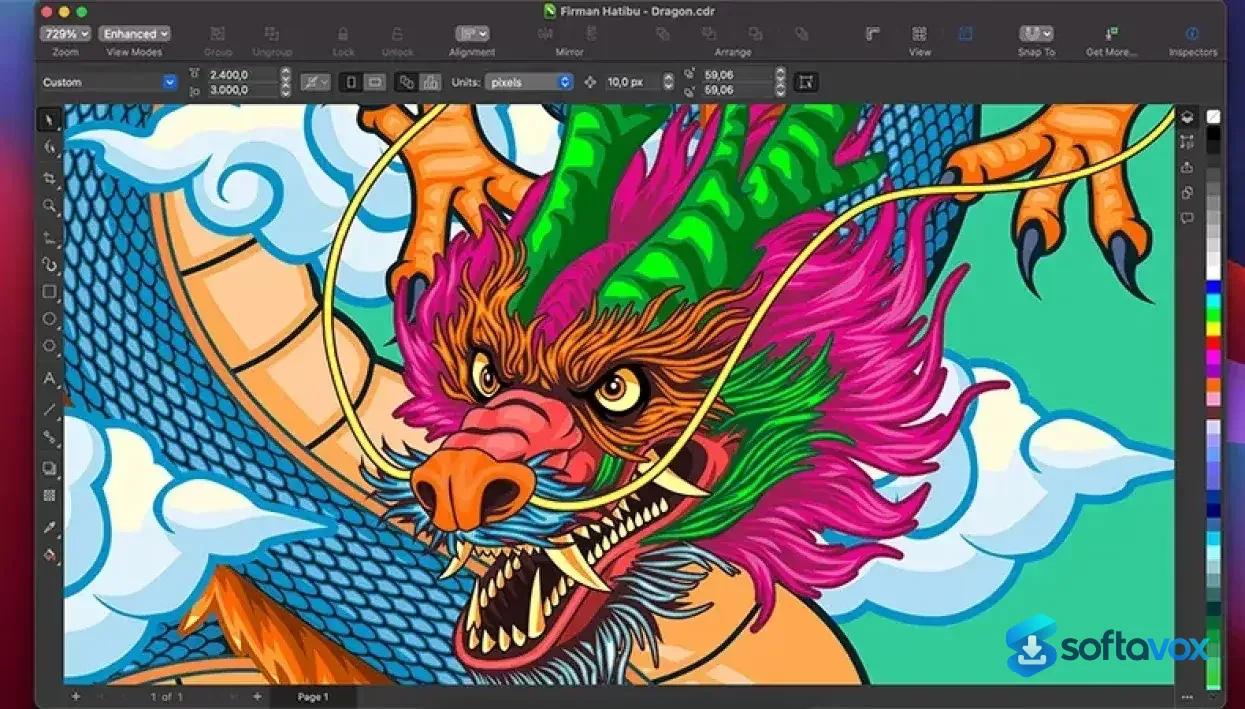
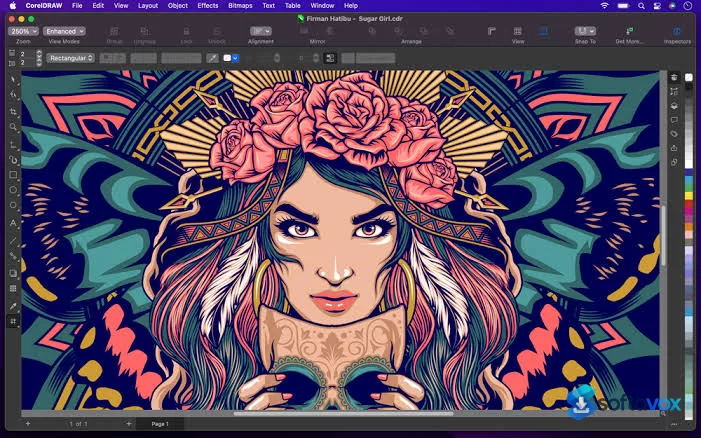
About CorelDRAW Graphics Suite
CorelDRAW Download, Professional Vector Design and Illustration Suite
TL;DR Quick Take / Who is this for?
CorelDRAW Graphics Suite 2026 is the latest edition of Corel’s flagship design package, and it remains the most credible alternative to Adobe Illustrator for professionals working in vector illustration, page layout, and print production[reference:0]. The suite bundles CorelDRAW for vector drawing and layout, Corel PHOTO-PAINT for pixel-based image editing, Corel Font Manager, and a screen-capture tool, so you get a full production workflow in a single install[reference:1]. The 2026 release adds genuinely useful AI tools, headlined by Text-to-vector generation that turns prompts or reference images into editable vector art, and an enhanced PowerTRACE engine that is up to four times faster at converting bitmaps to vectors[reference:2]. Pricing is flexible: a subscription starts around $22.42 per month, while a perpetual license is available for $549, giving you a permanent copy without recurring fees[reference:3]. The trade-offs are consistent with a professional suite. It is expensive for hobbyists, the interface can feel cluttered, and file exchange with Adobe InDesign is limited because the suite does not support IDML or INDD formats[reference:4]. CorelDRAW is the right pick for print shops, sign makers, illustrators, and designers who want a one-time purchase option and a toolset that excels in production environments. It is not the best choice for teams that live inside Adobe’s ecosystem or for casual users who only need occasional graphic editing.
Quick Info Box
| License Type | Subscription (~$22.42/mo) or perpetual license ($549) |
|---|---|
| File Size | Approx. 3.4 MB installer; 5.5 GB installed (Windows) / 3 GB (Mac)[reference:5][reference:6] |
| OS Compatibility | Windows 10/11 (64-bit); macOS Tahoe, Sequoia, Sonoma[reference:7] |
| Latest Version | 2026 (v27.0.0.121)[reference:8] |
| Developer | Corel Corporation |
Key Features & Real-World Usability
CorelDRAW’s feature set is built around production efficiency, and the 2026 release doubles down on AI-assisted workflows without abandoning the manual control that professionals rely on. The Text-to-vector AI tool is the headline addition: you can type a prompt or drop in a reference image, and CorelDRAW generates editable, scalable vector artwork that you can then refine with the suite’s standard tools[reference:9]. The enhanced PowerTRACE is the other major upgrade. It converts bitmaps to vectors significantly faster than before and produces cleaner object structures, which matters for anyone who regularly traces logos, scans, or hand-drawn sketches[reference:10]. Beyond AI, the suite covers the full design workflow. CorelDRAW handles vector illustration, multi-page layout, and typography, with tools like LiveSketch for freehand vector drawing and a comprehensive set of shape, curve, and node-editing controls[reference:11]. Corel PHOTO-PAINT provides pixel-level editing with support for Photoshop plugins, so you can retouch images and composite them into your layouts without switching applications[reference:12]. Corel Font Manager helps organise large font libraries, and the screen-capture tool is useful for documenting design decisions or creating tutorials. Collaboration and output are well covered: the suite supports PDF, SVG, EPS, AI, and a wide range of print-ready formats, and the built-in prepress tools help catch issues before files go to a printer. The interface is customisable, with adjustable workspaces and keyboard shortcuts that let you tailor the environment to your workflow[reference:13]. The limitations are practical rather than crippling. The interface can feel cluttered because of the sheer number of tools, and some advanced features take time to learn. File exchange with Adobe InDesign is limited, and the perpetual license does not include the cloud features and monthly AI credits that come with the subscription tier[reference:16].
- Text-to-vector AI generation: Generate editable, scalable vector graphics from text prompts or reference artwork, then refine them with CorelDRAW’s standard editing tools[reference:17].
- Enhanced PowerTRACE: Bitmap-to-vector conversion is up to four times faster, with improved object structure for cleaner, more editable results[reference:18].
- Complete design suite: Vector illustration, page layout, photo editing (PHOTO-PAINT), font management, and screen capture in one integrated package[reference:19].
- LiveSketch and advanced vector tools: Freehand vector drawing and precise node editing for professional illustration work[reference:20].
- Print and prepress production: Extensive support for print-ready formats, colour management, and prepress checks, making the suite a strong fit for print shops and sign makers.
- Flexible licensing: Choose a subscription for ongoing updates and AI credits, or a perpetual license for a permanent copy without recurring fees[reference:22].
- Cross-platform availability: Native Windows and macOS applications, plus a browser-based CorelDRAW Web for access from any device[reference:23][reference:24].
Pros, Cons & Community/User Feedback
User sentiment around CorelDRAW is strongly positive overall, with consistent praise for its vector tools and print-production strengths, alongside recurring complaints about learning curve and interface polish. On SoftwareReviews, the suite earns a 92% positive emotional footprint, with users citing unique features, innovation, and efficiency as key strengths[reference:25]. Capterra reviewers describe it as intuitive for design work with a great selection of vector tools, and one long-term user highlights that printing plotters and vinyl cutters work very well with the software and are compatible in almost all aspects. The automatic vectorisation feature, likely PowerTRACE, is frequently singled out as a time-saver when digitising illustrations[reference:28]. The complaints fall into three categories. First, complexity and interface: reviewers note that because of the number of tools, it is sometimes easy to get lost trying to find a specific function, and that the interface can feel clunky compared with other design software. Second, learning curve: while some users find it easy to learn, others note that advanced features take time to figure out and that vector design can be more difficult without training or tutorials. Third, licensing and value: one reviewer describes a licensing issue that should have been resolved in minutes but dragged on for four weeks without resolution[reference:33]. The perpetual license also lacks some subscriber-only features, including CorelDRAW Web and monthly AI credits, which may surprise buyers who expect the one-time purchase to include everything[reference:34]. The practical takeaway is that CorelDRAW’s core design and production tools are highly regarded, especially in print and signage workflows, while its interface density, learning curve, and licensing nuances are the areas where expectations should be managed.
Pros
- Comprehensive all-in-one suite covering vector design, photo editing, layout, and font management
- Text-to-vector AI and faster PowerTRACE streamline common production tasks
- Strong print, prepress, and cutting-machine compatibility for production environments
- Perpetual license option available, unlike Adobe’s subscription-only model
- Native Windows and macOS applications, plus browser-based access via CorelDRAW Web
- 92% positive user sentiment on SoftwareReviews, with high marks for unique features
- Customisable workspace and shortcuts to match individual workflows
Cons
- Expensive for hobbyists and casual users, especially at the perpetual license price
- Interface can feel cluttered, with so many tools that finding specific functions takes time
- Steep learning curve for advanced features, particularly for users coming from other design software
- Limited file exchange with Adobe InDesign (no IDML or INDD support)
- Perpetual license excludes subscriber-only features like CorelDRAW Web and monthly AI credits
- Licensing and activation issues have been reported by some users
- Some advanced tools lack explicit, easy-to-find controls
Final Verdict & Safe Download Advice
CorelDRAW Graphics Suite 2026 is a mature, capable design package that earns its place as the leading alternative to Adobe Illustrator, particularly for professionals in print, signage, and production environments. The 2026 AI additions, Text-to-vector generation and the faster PowerTRACE, are practical improvements that save time on real tasks, and the suite’s breadth means you can move from vector illustration to photo editing to print preparation without leaving the ecosystem. The perpetual license option is a genuine differentiator for users who dislike subscriptions, even though it excludes some cloud and AI features. The caveats are real. The interface is dense, the learning curve is non-trivial, and the price is high for anyone who is not using the suite professionally. If you work in a print shop, run a sign-making business, or need a full design suite with a one-time purchase option, CorelDRAW is an excellent choice. If you are deeply embedded in Adobe’s ecosystem or only need occasional graphic editing, Illustrator or a lighter tool may be a better fit. Download the trial first, test it on your own workflows, and decide based on how the suite handles the projects you actually produce.
- Download only from coreldraw.com or authorised retailers: The official site distributes the installer and trial, and authorised resellers provide legitimate license keys. Third-party “CorelDRAW full version” sites frequently distribute cracked installers bundled with malware, and those builds will not receive updates or support.
- Verify the installer size and version: The installer is approximately 3.4 MB (it downloads components during setup), and the installed application requires about 5.5 GB on Windows or 3 GB on Mac. The current version is 2026 (v27.0.0.121). A dramatically smaller file claiming to be the full suite is a warning sign.
- Check system requirements before installing: Windows requires Windows 10 or 11 (64-bit), an Intel Core i3/i5/i7/i9 (7th gen or later) or AMD Ryzen 3/5/7/9, 8 GB of RAM (16 GB recommended), and a GPU with 3 GB of VRAM supporting OpenCL 1.2. macOS requires Tahoe, Sequoia, or Sonoma with Apple Silicon or an AVX2-capable Intel processor[reference:35].
- Use the free trial to evaluate performance: Corel offers a trial of the full suite. Use it to confirm that the software runs smoothly on your hardware and that the workflow matches your needs before committing to a subscription or perpetual license.
- Understand the licensing differences: The subscription includes CorelDRAW Web, monthly AI credits, and ongoing updates. The perpetual license gives you a permanent copy of the 2026 version but excludes those subscriber-only features and includes only a one-time allocation of AI credits. Choose the model that matches how you plan to use the software[reference:36][reference:37].
- Do not download “cracked” or “pre-activated” builds: CorelDRAW is a commercial product with a trial available. Cracked installers are a primary vector for malware and credential theft, and they cannot be updated or supported. The official trial and purchase options are the only safe paths.
Similar software







Key features
- AI Generate: prompt-based image creation with style presets and color palettes
- Remix Image: AI-powered modification of existing images
- AI Remove Background: one-click background removal with fine-detail handling
- Mask from Subject: AI-assisted masking in Corel PHOTO-PAINT
- PowerTRACE: bitmap-to-vector conversion
- Corel Font Manager for typeface organization
- CorelDRAW.app for browser-based design
- CAPTURE for screen grabbing
- AfterShot 3 HDR for photo adjustments
- Up to 3x faster application launch times
- Modernized interface with refined icons and navigation
- Subscription: 2,000 monthly AI credits, 50 additional brushes, 200+ new templates
- One-time purchase: perpetual license with a single 2,000 AI credit allocation
- System requirements: Windows 10/11 (64-bit) or macOS 14+, 8 GB RAM (16 GB recommended), 5.5 GB disk space, OpenCL 1.2 GPU with 3 GB VRAM
- Supports PDF, AI, CDR, SVG, EPS, TIFF, JPEG, PNG, HEIC, WebP
Frequently asked questions about CorelDRAW Graphics Suite
What is CorelDRAW Graphics Suite used for?
Is CorelDRAW Graphics Suite free?
Does CorelDRAW Graphics Suite run on Windows and macOS?
How does CorelDRAW Graphics Suite compare to Adobe Illustrator?
What are the system requirements for CorelDRAW Graphics Suite?
Can I use CorelDRAW Graphics Suite without a subscription?
What’s new in CorelDRAW Graphics Suite 27.0.0.121
The 2026 release is built around the concept of "Artist Intelligence", using AI to support exploration and ideation while keeping the designer in full control .
AI-Powered Image Generation: A new AI Generate docker/inspector lets you create original, commercially licensed images from text prompts directly in CorelDRAW and Corel PHOTO-PAINT. You can start from scratch, use a reference image, or remix existing artwork .
AI Background Removal: A new one-click AI-powered background remover instantly identifies foreground subjects and removes backgrounds, handling fine details like hair and fabric fibers for clean, natural results .
AI Masking in Corel PHOTO-PAINT: AI-assisted subject selection and clip masking create professional-grade masks automatically, with options to refine selections manually .
AI Credits System: Subscribers receive 2,000 AI credits per month to run generative AI functions. Perpetually licensed versions come with a one-time balance of 2,000 credits .
Performance Improvements: Application launch times are approximately 3× faster or more, with smoother font handling, smarter page and export settings, and new zoom controls that simplify text editing. Corel has also resolved nearly half of all crashes reported since version 2023 .
Modern UI Refresh: A redesigned interface with revitalized icons, refined controls, renewed colors, and more intuitive navigation, while preserving familiar workflows .
Expanded CorelDRAW Web: New home screen, improved navigation and performance, better file handling, and the same AI tools as the desktop version .
New Subscriber Content: 50 additional pixel-based brushes and 200+ new templates (subscribers now get 2.5× more brushes and 4× as many templates) .
Versions
| Version | Release date | Platform | File size | |
|---|---|---|---|---|
| CorelDRAW Graphics Suite 27.0.0.121 Latest version | Sep 14, 2026 | WindowsmacOS | 5.5 GB | Download |
Comments about CorelDRAW Graphics Suite
No comments yet. Share your experience with this program!